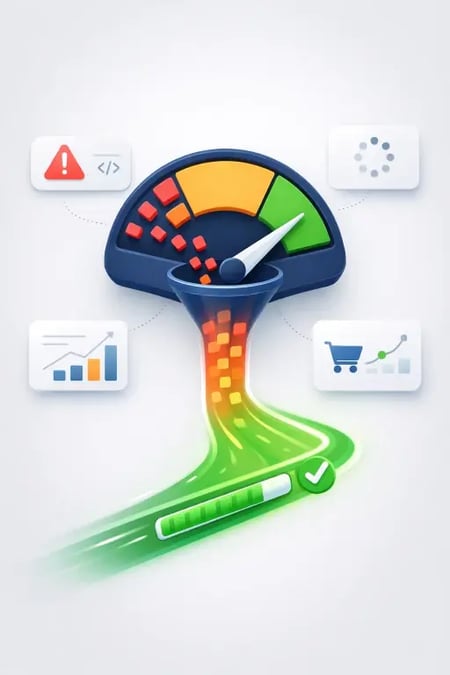
LCP, CLS, INP... It sounds like a bad Scrabble hand, but it's Google's way of judging your website. Core Web Vitals aren't just for developers; they are a direct indicator of whether your B2B customers are getting a good experience, or if they are leaving the site in frustration. Here is what these three letter combinations actually mean for your marketing.
What are Core Web Vitals?
Core Web Vitals are a set of specific metrics from Google that measure the user experience on a website. They focus on three things: how fast the page loads, how quickly it responds to clicks, and how stable it is while loading.
LCP: How Fast Does the Customer See the Content?
LCP stands for Largest Contentful Paint. In plain English: How long does it take before the largest element on the screen (often an image or a large headline) is fully loaded?
If your LCP is slow, the customer is sitting there staring at a blank screen. To fix this on a HubSpot site, you need to ensure the main image (hero image) loads immediately, while less important things (like scripts further down the page) are put on hold.
CLS: Why is the Text Jumping Around?
CLS stands for Cumulative Layout Shift. You've definitely experienced it: You're just about to click a button, then an image loads in above it, and you click an ad instead. Annoying, right?
In B2B, this destroys trust. To avoid CLS, you must tell the browser exactly how much space an image or an ad should take up, before it is loaded. This keeps the layout stable, and the customer doesn't have to hunt for the "contact us" button.
INP/TBT: Why Does Nothing Happen When I Click?
This is about interactivity. TBT (Total Blocking Time) and INP (Interaction to Next Paint) measure how long the browser is so busy chewing code that it ignores the user.
When you have too many third-party scripts (like HubSpot chat, analytics tools, and forms) loading at the same time, the page "freezes". The solution? Defer loading chat and forms until the page is actually fully rendered.
Why B2B Leaders Should Care
You spend thousands of dollars driving traffic to your website. If your Core Web Vitals numbers are flashing red, you are throwing money out the window. Google ranks fast sites higher, and users convert more often when they don't have to wait. Good technical numbers simply mean a lower cost per lead (CPA) and a higher return on your marketing budget.
→ improve HubSpot Core Web Vitals.
→ HubSpot implementation when the platform should support sales and marketing.
→ Performance marketing — når hastighet skal gi lavere CPA.
→ Website Speed Is a Performance Marketing Problem (Not Just for IT)
→ Why Most HubSpot Websites Get Slow (And How to Fix It)
Frequently asked questions
Do Core Web Vitals affect SEO?
Yes, Google uses Core Web Vitals as a ranking factor. If two websites have equally good content, the site with the best user experience and speed will rank highest in the search results.
What is a good LCP score?
A good LCP score is under 2.5 seconds. If it takes longer for the main content on your page to appear, you risk users leaving the site before they've even started reading.
How do I improve CLS on HubSpot?
You improve CLS by always including width and height attributes on your images, and by reserving space for forms and ads in the code.
How Does Your Website Stack Up?
Get a check of the Core Web Vitals on your HubSpot site, and find out exactly what's slowing down your conversions.